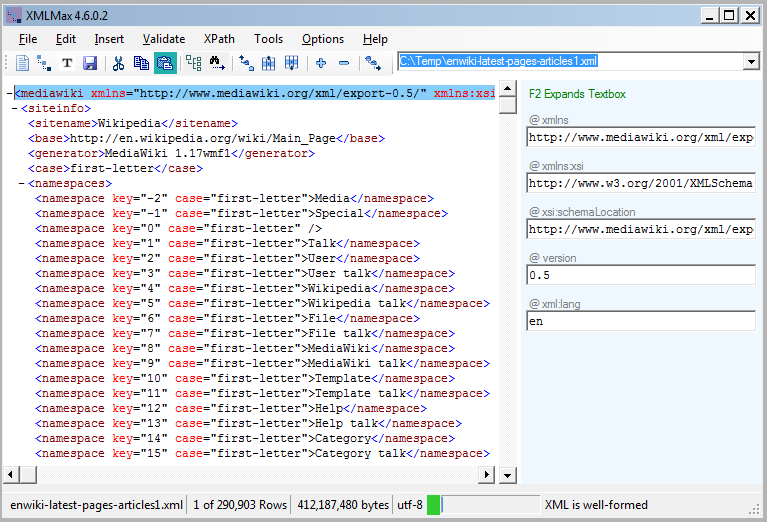
Well-formed XML. If your XML is not well-formed it is essentially unusable. Other XML software will not be able to read it. XML is a standard that includes many syntax rules. XMLMax reports any syntax error with an option to show and fix them.
Valid XML. XML that is not valid may be rejected by other XML software or your business partners if they require schema validation. XMLMax validates any size XML using one or more schema files, and lists the errors with an option to fix them. It can create schemas from XML.
Slow XML. How much time are you losing waiting for your editor to open, or fail to open, large XML? XMLMax fully parses and displays a 500 mb XML in about 20 seconds. One customer used it with a 60 GB XML!
Memory. XMLMax needs less then 1 GB of RAM. Our testing is done with only 700 MB of RAM.
DateTime Format. If you need to convert date and time strings to XML datetime format (ISO 8601), XMLMax will do it automatically, and with an option to remove them.
|
|
XPATH If your XML is too big to load the entire XML into memory, XPATH queries are limited without a database or XMLMax. XMLMax supports all XPATH axes and has no import, configuration or maintenance..
Illegal Characters XMLMax can automatically remove characters not allowed in XML, as per the w3c XML specification, such as control codes. Options enable either removal or replacement.
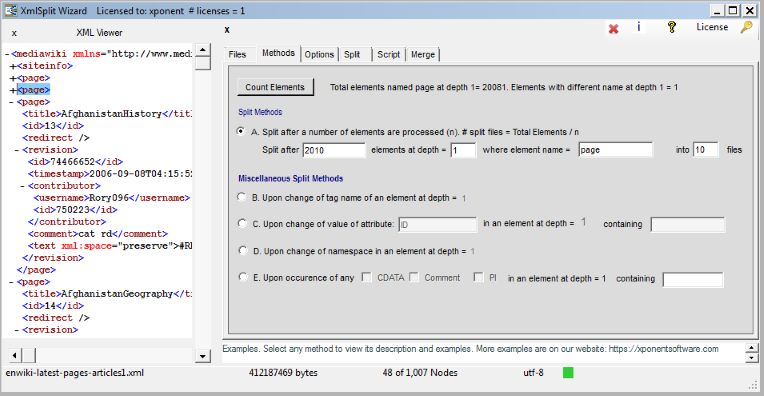
Too Big. If other software or processes cannot use your XML because it is too large, XMLMax will split it into smaller, well-formed XML files. It provides several split options. Also see our XmlSplit command line tool.
Text Editor Risks. A text editor does not syntax check or validate XML, or prevent you from entering illegal characters or corrupting the markup. XMLMax does.
Return On Investment. XMLMax saves time and money. It eliminates custom programming by solving many problems automatically. Its speed reduces processing time. With its low price, it can easily pay for itself the first time used.
|
|
|